CMS Basics
Creating content for the web
Although we usually use our desktop computers to build content for the website, it’s important to design it to suit the different screens our audiences use, including mobile and tablet devices.
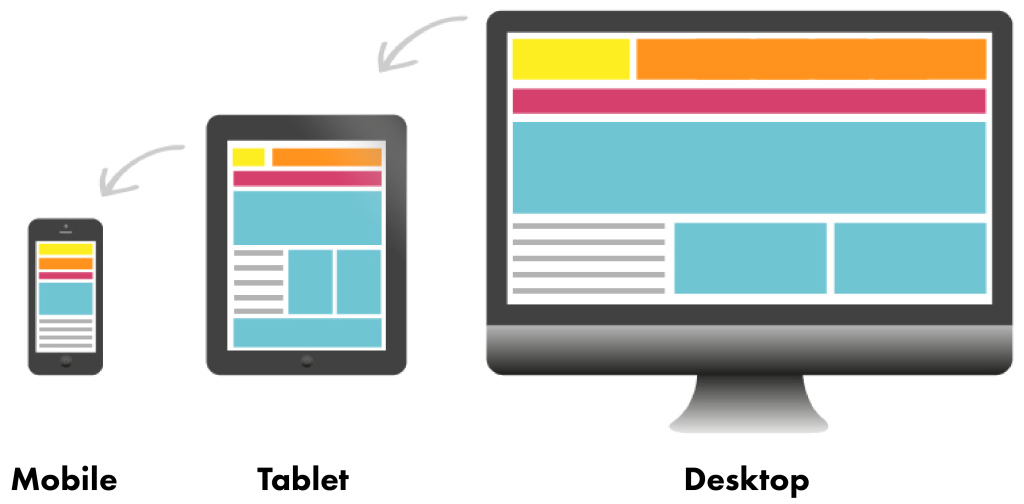
WordPress automatically adjusts the layouts we create to any screen size. But you still need to consider how you design pages so they look good, and work well, on any device.
Make sure text is easy to read and buttons and links are big enough to tap on smaller screens. This way, everyone can enjoy your content, no matter what device they use.
Find out more about content types
What is a component library
The component library is a set of tools to help build webpages and other digital content. As it evolves, it will be made up of three main sections: styles, components, and patterns. The library will help us create smooth and familiar experiences for users.
Consistency
We will maintain an on-brand, consistent look and feel across our digital products and services. Make sure to use the RNID brand guidelines alongside the component library.
Efficiency and speed
Reusable components will reduce design and development time. Additionally, documented guidance will help new team members learn our processes more quickly.
Maintainable and scalable
We will be able to scale our library based on user needs and insights, improving components or creating new ones. It will enable more people to create web and digital content independently, helping us scale our content and design processes.